Your first tournament
From account to winner in five steps. You can score at the board or only in the admin dashboard.
- 1
Create an account
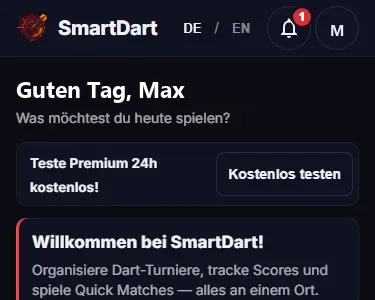
Top right “Login”, email and password, done. The free plan covers 10 players, 2 boards and 1 active tournament.
- 2
Create a tournament
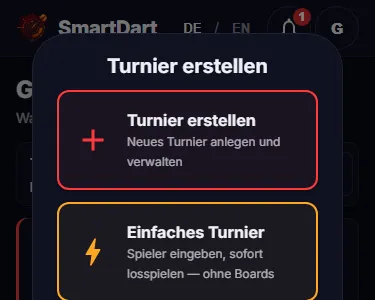
On the home page choose “Create tournament”. Enter a name, a format (Knockout to start) and the player names. You get a tournament code.
- 3
Invite players
Everyone opens smartdart.app and enters the tournament code, or scans your QR code. They see their match, the bracket and the live score.
Tournament codeABC123 - 4
Connect a board, start the match
A phone at the board opens smartdart.app/device and takes the board code. In the admin dashboard, assign the match to the board and press “Start match”.
Board codeDK7MX4P - 5
Enter throws, celebrate the winner
At the board you tap every dart and confirm after three. In the end the result sits on one page you can share.
Resultsmartdart.app/results/ABC123
Everything from the full guide, in case five steps are not enough.
All steps in detail
The full flow: each dartboard has a scoring device (phone or tablet) next to it where every dart or every 3-dart total is entered. SmartDart computes averages, 180s and checkouts automatically. Ideal for regular sessions or when you want detailed stats.
1. Create account
Click "Login" in the top right and create your free account with email and password. As a BASIC user you can have up to 10 players, 2 boards, and 1 active tournament at a time — perfect for trying things out. Optional: verify your email (link in the welcome mail) so password-reset and support work.
2. Create tournament
On the homepage click "New tournament". Give your tournament a name (e.g. "Friday Night Cup") and pick a format — for your first time we recommend Knockout with 8 players and Best of 3 legs. Enter your players' names and click "Create". You'll get a tournament code (e.g. ABC123) to share with your players.
3. Invite players
Each player opens smartdart.app on their phone and types the tournament code at the top (or scans the QR code you can share). That way each player sees their match, the bracket, and the live scoreboard on their own device. You as the organiser see in the admin dashboard which players have joined.
4. Set up board(s)
Grab a phone or tablet that sits next to the actual dartboard — that's your "scoring device". In the admin dashboard under the "Boards" tab generate a board code (e.g. DK7MX4P). On the scoring device open smartdart.app/device and enter the code. Done — the device is now linked to this board. BASIC allows up to 2 boards at once — so with 8 players two matches can run in parallel.
5. Start match
In the admin dashboard → "Matches" tab you see the round-1 pairings. Assign each match to a board (dropdown) and click "Start match". Only then does the match show up on the scoring device and can be played. Without clicking start, the scoring device stays in waiting mode. Depending on the format you may have to press a button again between phases or rounds — see "Formats at a glance" below for the details per format.
6. Enter throws
On the scoring device the input opens automatically. The default is "Dart-by-Dart" mode: tap each dart's field (e.g. 20, then Treble → T20 = 60 points). After 3 darts, confirm the visit. After each leg the app shows who won. Alternatives: "Manual" (enter the 3-dart total as one number, e.g. 180) or "Legs" (just check off leg wins).
7. Winner decided
Once all matches are played, the admin dashboard shows the winner and the full bracket overview with all stats: average, 180s, highest checkout per player. The result is shareable via smartdart.app/results/YOURCODE — even without a login.
Formats at a glance
SmartDart supports 9 tournament formats. Some run fully automatically — others require the admin to press a button between phases or rounds.
Knockout
The simplest format: lose and you're out. 8 players = 3 rounds (quarter-final → semi-final → final). The next round is generated automatically as soon as all current-round matches finish.
Round Robin
Every player meets every other player exactly once. No round phases — all matches are created at once. The winner is determined from the standings table once the final match is done.
Double Elimination
Winner and Loser bracket run in parallel. A loss in the Winner bracket gives you a second chance in the Loser bracket. Two losses and you're out. All brackets are generated automatically.
Groups + Knockout
First a group stage (round robin per group), then top players per group advance to the knockout bracket. Important: once all group matches are done, you as admin need to click "Start Knockout Stage" in the dashboard — nothing advances automatically.
Champions League
Like Groups + Knockout but with a single group instead of several. All players play round robin in one table, then the top X advance to the knockout stage. Also here: admin must click "Start Knockout Stage" once the group stage is complete.
League (double round robin)
Classic football-league structure: each player meets every other home and away. Matchdays are played one at a time. After each matchday you must click "Next round" in the admin dashboard to release the next matchday's pairings.
Swiss System
Pairings per round are computed from the current standings — players of similar strength meet. Fixed number of rounds, but not everyone plays everyone. After each round the admin must click "Next round" to generate the new pairings.
What does "admin needs to press a button" mean?
For Groups + Knockout / Champions League: once all group matches are finished, the tournament pauses. Go to the admin dashboard → "Overview" tab → a "Start Knockout Stage" button appears. One click generates the knockout bracket from the top players and round 1 is ready. For League / Swiss: after each matchday or round, the tournament is paused. Go to the admin dashboard → you'll see "Next round". Clicking it generates the next matchday/round pairings. This keeps you, the organiser, in control: you can add breaks, swap players, or plan the next evening before matches are unlocked.